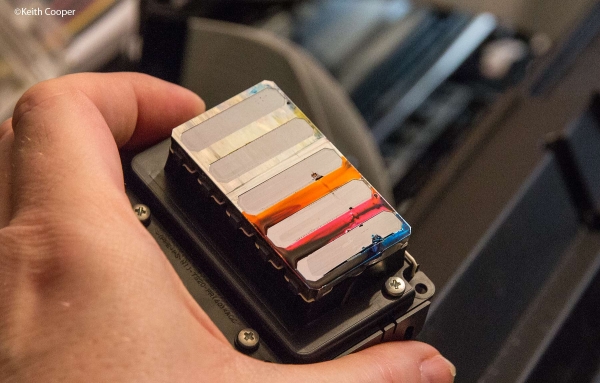
Damaged printhead/printer head that needs replacement for better prints
Owning a quality printer working at its best is always more than a blessing to individuals, businesses, or even institutions until they start misbehaving and producing poor prints that can not be presented to the people intended. When you realize that your printer is not giving you the best printouts like it had been doing then it might be experiencing problems with its printheads/print heads being unable to produce the quality that you expect.
The first procedure would be to make sure that the inks you are using are the right ones you need to be using, if you are using a Continous Ink Supply System then you need to ensure the parts that need to be opened are open and not closed because this can always inhibit the free flow of ink to the printhead/print head.

You will then need to do a simple printhead cleaning service provided by your printer, you can always clean all the ink colors or only the one that you see from the test prints as not working properly, after this you can do hard printhead cleaning provided by other third-party apps like the WicReset etc, if this does not work then you will need to proceed to the next step.
If all the steps above have not helped solve the problem then you might need a professional to check your printer because it might be an issue related to a blocked printhead or just a damaged Continous ink supply system, a technician at this stage might need to unblock the printhead/print head which if doesn't work then you might need to replace your printhead before which you may need to request your technician to check your printer's pump to see if it's damaged and not pumping ink properly.
Get a qualified trusted technician to replace your printhead/print head for you and do not forget to ask your technician whether the printhead is new or refurbished, remember a poorly installed printhead can always lead to permanent damage to a printer.
Important Tips
- If you like it, like and share.
- Leave comments
- Follow and like the seller's page
- Invite your friends to read too.
- Follow the Business page link above to contact.
Discussion
Want to join the discussion?
Login to Comment